Bodies, Attachments, Properties...
All TNEF encoded data is accessible through WinDeveloper TNEF View.
Inspect winmail.dat and MAPI messages (*.msg files) through dedicated views, and save message data to disk.
For TNEF viewing, a MAPI client such as Microsoft Outlook is not required. Explore message bodies, attachments and properties with HEX, Text, RTF, Metadata and OLE Object views.
Explore viewer features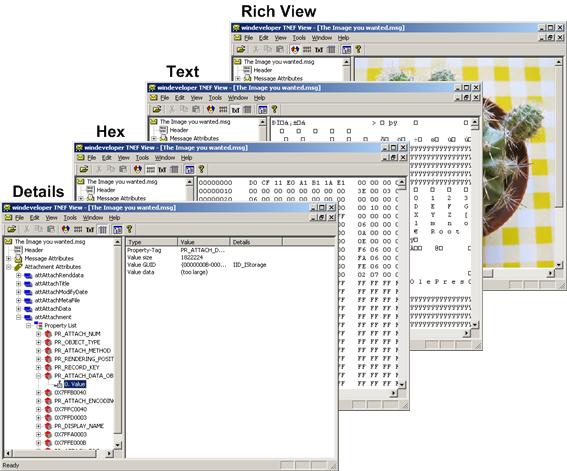
All TNEF encoded data is accessible through WinDeveloper TNEF View.
A selection of viewer interfaces enabling data inspection through the most effective interface. This includes HEX View, Text View, RTF View, Metadata View and OLE Object View.
A MAPI client such as MS Outlook is not required for viewing TNEF.
Both TNEF encoded mails (winmail.dat) and mails from MAPI stores (*.msg files) are supported.
'Save Data to Disk' enables the extraction of bodies, attachments and any other property to disk.
Compressed RTF bodies are decoded for direct inspection through the RTF View.
'Open Embedded Message' enables the opening of attachments containing a TNEF encoded email.
OLE object attachments may be previewed and opened through the OLE View.